Home Blog Page 8

How Do DIY Home Security Systems Work

How does a security system work?

DIY Home security systems work on the basic concept of securing entry points into your home with sensors that communicate and send signals to a control panel or command center installed in one convenient location.

Sensors can be placed indoors that lead to and from a house and easily accessible windows. These areas are typically where burglars will go, so it’s important for these locations to have motion detection sensors installed on them!

Control Panel: 

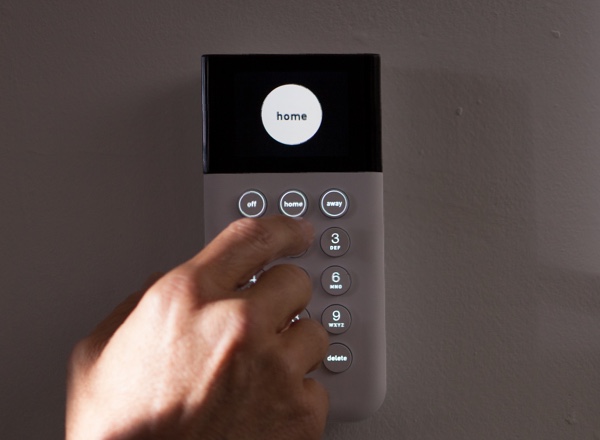
The control panel is basically the computer that arms and disarms your security system communicates with each installed component, rings the alarm when security is breached, and communicates with the alarm company.

This typically has a keypad where you can enter the passcode in order to arm or disarm the system. It can also be programmed to work with wireless key fobs.

Window and Door Sensors: 

Window and door sensors are comprised of two parts installed adjacent to each other. One part is placed on the door or frame while another rests against it on the frame in order for them both to work properly together as an electrical circuit.

When the security system is armed at the control panel, the sensors communicate with it simply by reporting that the point of entry has been properly secured. When a monitored window or door suddenly opens while this feature has been enabled for your convenience, broken circuit breakers give off high decibel alarms, which are sounded immediately upon detection. In most instances, an alarm monitoring company is alerted as well, so no worries there!

Surveillance Cameras: 

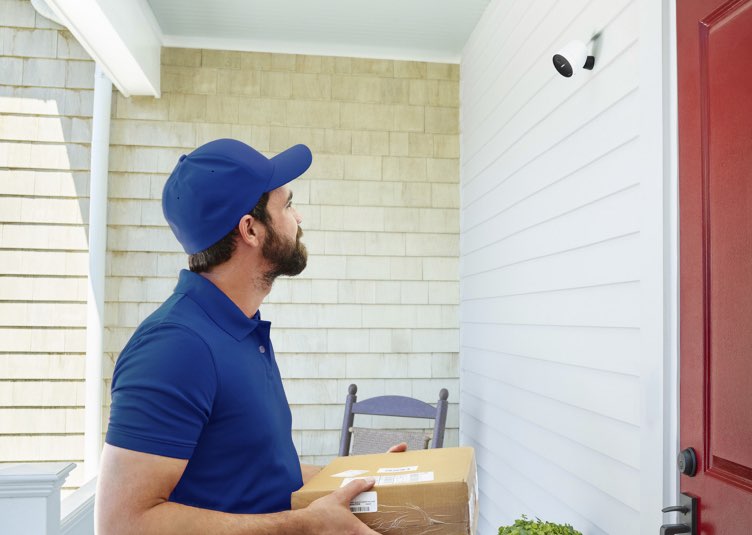
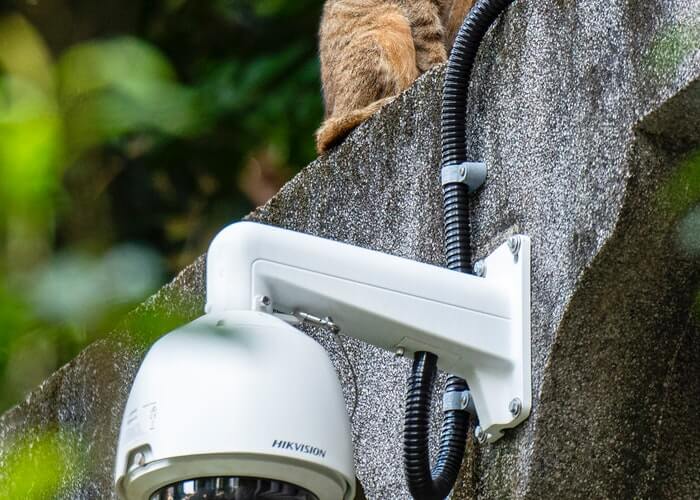
Surveillance cameras are available in wired and also wireless configurations. They can be used in so many ways being a part of the security system.

High-decibel Alarm:

Security alarms in the home are there for so many purposes, like alerting you when something goes wrong or raising a fuss if someone’s trying to break into your house. They’re also loud enough that neighboring homes can hear what’s going on at any given time!

Yard Sign and Window Stickers:

When you install a security company’s sticker on your window or wall, it beware the burglar that the home is highly protected, and it is not a wise choice to attempt burglary.

Here is an article that will guide you on  Where to buy wireless home security systems?
How Much Does A Home Security System Save On Insurance?

Installing monitored safety and security devices in your home can reduce homeowner’s insurance up to 20 percent. That means if you pay $1,000 a year for coverage, installing these devices could save you $200 annually.

You can also ask about discounts that may be available through other carriers or companies. If the cost of installation is high, it might not be worth it for some people. But if you’re looking at spending around $100 on equipment and installation costs, then this could be worth it for many homeowners who are already paying out-of-pocket expenses due to theft or damage from fire or water leaks.

It’s important to note that most policies have a deductible amount before they start covering damages. So even though having an alarm system installed will help reduce premiums after the fact, there’s still going to be some out-of-pocket expense involved when something happens. 

In general, though, adding additional protection measures like smoke detectors and fire extinguishers will likely result in reduced rates as well – but those aren’t typically included automatically by all providers, so check with them first before making any changes.

Installing a monitored safety and security system in your home can reduce your premiums by up to 20 percent. That means that if you have $1,000 of coverage, it could be reduced to only $800. With the average cost of a monitored security system at around $400 per year or just over $33 per month, this is an investment worth making.

Not only will you get peace of mind knowing after applying a home security system that help is always available in case something goes wrong, but you also enjoy substantial savings on your homeowner’s insurance. It’s like getting paid for protecting yourself.

To learn more about the importance of home security systems, read this article.

What Is The Best And Cheapest Home Security System

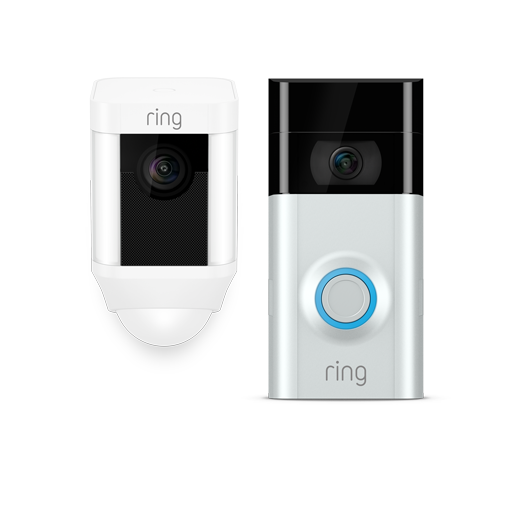
Are you looking for the best and cheapest home security system? You are at the right place. In this blog post, we are going to talk about Ring, which is the best home security system overall. 

Ring Alarm

Ring Alarm is the best choice for people who want an easy-to-use, affordable security system that offers the best monitoring deal in its class. At $10 monthly with full benefits and lifetime warranty coverage like no other brand can offer you, this company really does stand out from others!

Ring Alarm has some of the best smart home skills you’ll find, which is why we love it. It works with Amazon Alexa and Z-Wave devices for the ultimate convenience in your everyday life–and at a fraction of what it would cost from high-end brands like ADT or Vivint!

With the right security system, you can enjoy peace of mind and protection for a reasonable price. An investment in monitoring equipment like doorbell cameras starts around $100 with additional cloud storage at no extra charge!

The most effective and affordable way of protecting your home is with a Ring Alarm kit. The eight-piece security package will ensure that you have all the necessary tools for optimal protection, especially if there’s more than one door in need of monitoring!

Do you know what is the average cost of a home security system? If you want to know about it then click here: What is the average cost of a home security system?

FAQ’s

What is the best inexpensive home security system?

SimpliSafe
Cove
Frontpoint
abode
ADT

What’s better, Ring or SimpliSafe?

Ring and SimpliSafe are both reputable companies, but there is a difference in their products. The ring has less expensive packages for its customers with the option to choose from 3 different plan types: 24 / 6 months ($199), 12 (/6mo) + Security Monitoring Service at $369/year; whereas Simplisafe charges more per month than ring does yearly- starting around $200

Is ADT worth getting?

The ADT Pulse app is a must for home automation enthusiasts who want to control their devices remotely. It offers peace of mind knowing that you can monitor everything from afar, no matter where you are or what device you’re on!

Is SimpliSafe easily hacked?

Simplisafe is a high-quality home security system that has been designed to be very hard for hackers. The latest version was included with encryption codes to ensure no one can interfere or track what’s going on at your house when you’re away!

What Is A Good Cheap Security Camera System

Ring – Most Affordable And Good Security Camera

The Ring Indoor Cam is the most affordable and one of the best security cameras that can be controlled with Alexa. It is one of the best yet affordable home security systems.

Let’s take a look at their cost. Free do-it-yourself service only includes alerts and cloud storage – but for $3/month or less, you can save clips from one camera to be saved in your account for up to 60 days each!

For just $10 a month or less, you can self-monitor all your Ring cameras and also get professional security backup. This service is available contract-free with no credit check to people in most states; it’s one of the best deals out there for home monitoring!

Affordable Paid Plans Of Ring

A Ring security camera is a good investment for homeowners who want peace of mind. These devices come with monthly fees and contract-free plans to suit your needs, no matter how long you plan on using them or when something happens that damages them (like theft). The best part? They provide lifetime protection, so there’s less risk involved in owning one!

Ring Protect offers a higher quality video. You can save your footage for up to 60 days, and it only costs $3 per camera monthly, or $30 when you pay 12 months in advance.

Ring Protect Plus – This plan is the best in home security. It combines DIY for all your Ring cameras and adds professional backup with an emergency monitoring team that can field alerts even if you’re unable to take action! And when it matters most (like during an intruder or fire), there are options that include $10/month subscriptions from a complete system such as Z-Wave devices monitored by their own hub device(s).

The ring is an affordable and flexible solution for DIY or professional camera monitoring. Cloud storage is contract-free, so you can use it without any credit check! The Ring home security cameras are under warranty from the date of purchase as well–and extended warranties cost just one payment of $3 per month

Where Can You Buy DIY Wireless Home Security Systems

DIY wireless home security systems are a good option for protecting your home against intruders. Such systems tend to be cheaper since they are sold as a product that you can operate on your own and not a service operated by trained professionals and requires you to pay recurring charges. You can purchase a good and reliable DIY home security system online from e-commerce platforms like Amazon or online stores of security equipment manufacturers and retailers. Here are some options you can choose from if you are interested in setting up a DIY home security system. 

Abode

Abode is one of the best DIY home security systems for smart homes. Abode is an all-inclusive, user-friendly option compatible with devices running Apple HomeKit, Z-Wave, and Zigbee. It provides you the peace of mind knowing that your family is connected to both significant voice assistants — Amazon’s Alexa and Google Assistant. No other DIY system on this list even comes close.

Abode is an intelligent automated system that allows you to create custom routines. You can easily set up these routines to activate the smart home device based on the time of the day or when sensors detect something. An example of one such routine would be to arm your Abode device when leaving the house to provides security for home and family members.

Frontpoint

Frontpoint offers an upgraded DIY experience that makes it easy to install and use the equipment. Users love its helpful customer support and great security cameras that give them 24/7 monitoring ability for their indoor and outdoor spaces.

FAQ’s

How to install the home security system?

When it comes to installing your home security system, you have two options. You can either install and monitor the system yourself or simply install motion detectors and hire someone else who will monitor them for you on an ongoing basis without the need to sign any contracts in return. 

What is the best store-bought home security system?

The five best home security systems that you can buy from your local security equipment stores are:
SimpliSafe
ADT
Vivint
Frontpoint
Ring

Can I install a security camera outside my house?

It is important to note that you can install cameras in all areas of your property, including the backyard or front yard. You do not have any restrictions on where these cameras may be placed so long as they aren’t infringing anyone else’s rights.

Did you find this article interesting? If yes, you can visit our website to check out similar articles.

What Is The Average Cost Of A Home Security System

Pricing out a home security system could be confusing and difficult. Even when the prices are displayed on the website. You may wonder, what is this really going to cost me? Well, let’s face it, some companies that provide these services aren’t known for their transparency or honesty regarding pricing schemes. Those advertised deals are made to look big, but there are so many hidden charges that they don’t mention on their website.

Let’s break down those costs to get an idea about what is the average cost of a security system.

The average honest cost of a home security system ranges between $250 and $1,500+. These costs include equipment, installation fees, and activation charges. It is a one-time initial investment that you will never have to pay again if your plan does not renew after the first year or second year, depending on which provider you choose.

Buying security equipment is actually the beginning. We recommend going with a monitored system because it truly provides superior home protection at an affordable price point. The average monthly cost for basic monitoring services starts around $9/month ($120 annually) and can go up to almost $100/month depending on what type of additional features you want to be included in your plan.

Do you know who installs home security cameras? If no then click here: Who installs the home security cameras?

FAQ’s

What is the average cost of a home security system installation?

The average cost of an alarm system is $685, but it can range anywhere from as low as $280 to over a grand. Besides the installation costs, you’ll also have to account for your basic equipment package – usually, around $600 total with everything included.

How much does ADT home security cost per month?

ADT’s monthly monitoring prices range from $29.99 to $39.99, depending on the package and type of service you want. Standard home alarm or cellular backup.

Can you install security cameras yourself?

The best way to install your camera is yourself, but if that’s too difficult, there are plenty of people who can help. HelloTech offers this service, and so does the security company itself!

What’s better, ring or SimpliSafe?

Ring and SimpliSafe are two reputable companies with A+ ratings at the BBB. The ring has less expensive packages, a one-year warranty, and a 30 day trial period, while SimpliSafe offers pricier packages along with three years of warranties plus 60-day trails.

What Is The Best DIY Home Security System

Are you in search of the best DIY Home Security System? You are at the right place. Today we are going to talk about one of the best DIY security systems. That security system is none other than Abode. Let’s take an in-depth look at it.

Abode- Best DIY Home Security System

Abode is a top choice for people who are looking for protection with the option of advanced home automation. As we went through our evaluation, it seemed quite similar to SimpliSafe but had more features which led us to conclude that abode is one of the best DIY home security systems available on today’s market.

Abode offers more integrations than most other security systems. Not only are text alerts free, but remote control of the system via smartphone is also accessible for anyone who uses it. We loved how easy adding on-demand professional monitoring was with the abode app, and we enjoyed having paid options available to us that would last as few as three days at a time!

Features we liked about abode home security included:

  • Indoor and outdoor cameras
  • Home automation with voice commands
  • DIY setup
  • Professional or DIY monitoring
  • Environmental monitoring
  • Portable (no charge to move)

Abode Security Equipment

Installation options are available in the Abode system, one of which is their all-in-one home security tower, or you can build a customized set with various wireless devices. They support environmental monitoring and home automation through Google Assistant.

The most simple abode security system costs about $200. It is called iota tower and has its main features being the motion sensor, camera, and siren. There are also more expensive options for around 200 dollars that come with many different compatibility devices to use outside of Abode’s basic equipment like 4G sensors or Z-Wave technology products. Installation takes 30 minutes at home DIY style with a money-back guarantee if you are not satisfied with it within 30 days of purchase.

Abode Monitoring Plans

The abode security system had lots of great features and options. It is very customizable and easy to use, which we appreciated as DIYers. We liked that the mobile app helped us monitor our home from anywhere at any time; however, it would have been helpful if there were more free alerts for short-term monitoring plans versus only annual contracts (annual plan pricing starts at $80 per year).

“In sum,” Abode is a good choice for those looking into getting a DIY security system with no contract required because they offer so many smart possibilities!

 Do you want to know who offers the best home security system? Click here: Who offers the best home security system?

How To Disable Home Security System?

Home security systems are the best way to protect your home and loved ones. They’re easy to install, affordable, and give you peace of mind knowing that help is just a push of a button away if anything happens at home.

If you are interested in buying a home security system, they are affordable to protect your property and valuables. They’re also an excellent deterrent for burglars. With the right system, you can monitor who comes and goes from your house at all times, even when you’re not there.

If you want to be able to turn off your security system, follow the steps mentioned below. Just make sure not to leave any wires exposed to avoid any accidents. If there are kids around, make sure they are at a safe distance, and they do not touch anything while you’re working on this project either.

Turn off with Remote/Button

If your home security system comes with a remote for operation or an app through which you can operate the security system, shut it down from the shutdown button. If there’s a remote or app, you can just press the button on your home security system to shut it down.

Unplug from the Wall Outlet

After shutting the system down with the remote, app, or button, the next step is to remove the plug from the wall outlet. Doing this is necessary because even after shutting down the system, if it is plugged in, there can still be an electric charge that can give you a shock.

Disconnect Backup Batteries

Many home security systems have backup batteries so that these systems can run in case of electricity breakdown or intentional power cuts. You have to remove or disconnect that backup battery as well to fully disconnect the security system.

Here’s an article to set up the system again when you are done with what you aimed for.

After following these steps, make sure the screen or any led lights on the home security system are off. If you are still unsure about the procedure, you can always call a professional for help in removing your home security system.

Here’s an interesting article on home security gadgets for all the cool people out there.

How To Install A DIY Home Security System

You do not need to be a professional home security system installer or have any sort of technical expertise in order to install your own DIY home security system. In fact, these systems are so easy to set up and affordable that it might even make more sense for renters who can’t drill anything into walls! Plus, wireless technology means you won’t have bulky wiring running throughout the house either.

Some Simple Steps Of Installing Home Security System

Install The Home Security Panel First

The panel should be placed near the main entrance to your home and close to a power source. This will keep out intruders but still allow you easy access in case of an emergency or if someone needs help. The panel can either be nailed into place with screws through pre-existing holes on the wall, or it can also use adhesive so that there are no permanent marks left behind after its removal from the surface area where it was attached.

Place Detectors And Sensors In Your Home.

With a basic door and window alarm sensor, you may also have motion detectors. This system usually comes with a peel-and-stick backing that holds them into place yet allows for easy movement as needed. Use the guidelines provided by your home security system to ensure the optimum location of sensors on doors or windows

Test The Security System.

Look at the instructions in your home security system owner’s manual to test the entire system. Once everything is working properly, adjust any settings that may need adjusting, and you should be good!

Do you want to know who installs a home security system? If so then click here: Who installs Home Security System?

FAQ’s

Can We install a home security system myself?

The benefits of do-it-yourself home security have been made clear. It is possible to install a completely monitored system in your home for hundreds less than it would cost by a professional company and takes only 15 minutes!

What’s better ring or SimpliSafe?

Both companies are reputable and both have an A+ rating with the Better Business Bureau (BBB). The ring has less expensive packages, a 1-year warranty, but offers more trial periods. Although SimpliSafe is pricier its 3-year warranty period makes up for that.

Can you monitor SimpliSafe yourself?

SimpliSafe also has an option that lets you self-monitor through the smartphone app and get 30 days of cloud video storage for $10/month.

Which Is The Best Home Security System Company

SimpliSafe makes it easy to install a home alarm system. It is one of the best home security systems. You can set up security and environmental protection in an hour or less for only $244, which is the lowest price of any monitored company I’ve seen so far. Professional monitoring starts at just $14.99 per month while DIY monitoring costs nothing with the free SimpliSafe mobile app.”

Low Price:

SimpliSafe was our favorite home security solution in terms of price and quality. We paid $244 for a starter set before discounts, which we thought worked out well considering that the same equipment would cost us more. The company had frequent specials as well, making it an ideal choice for homeowners on a budget.

The SimpliSafe mobile app helped us monitor the system. With a monthly professional monitoring cost of $14.99 or $24.99, we were able to have complete control over our home security from anywhere in the world on any device through text alerts and map-based tracking as well!

Quality Equipment:

Although SimpliSafe’s security systems were inexpensive, they are not cheap in quality. Their equipment was low-priced because the company manufactured it themselves and cut out the cost of expensive middlemen who charged high markups to customers.

The SimpliSafe system has great features that are easy to use. One example is the SmashSafe backup against tampering, which can notify police if someone tries disabling your security system.

Easy To Install:

We are impressed by the ease of installation. From our understanding, most customers set up their home security system on their own, and only about three percent order help. We installed ours in 20 minutes and estimated it would take someone inexperienced only 30 minutes to manage. We could easily move a SimpliSafe security system to another house! The portability combined with no contracts is why many renters like this brand too.

Who Offers The Best Home Security System

Are you looking for the best companies offering security systems? You are at the right place. In this blog post, we are going to name some of the best brands offering good-quality home security systems. Let’s take a look at them:

ADT

ADT is a home security company that has been protecting homes for nearly 145 years. Eight million people across the globe rely on their expertise and experience to keep them safe from intruders in your neighborhood.

ADT’s nine professional monitoring centers are impressive. The system is designed to transfer your protection if one of their facilities goes down due to a power outage or natural disaster like Hurricane Harvey, which hit Houston last August. This means that you can rely on ADT even when Mother Nature does her worst!

The security company has 24/7 coverage with at least nine stations in operation all the time- no matter what happens elsewhere.

Cove

Cove, a home security company with affordable monthly plans and no contract requirements, is coming through for its customers. Cove has thousands of satisfied users who give it high ratings on Amazon and Best Buy, which should indicate that the service isn’t one to be missed out on. Furthermore, if you decide to cancel your plan during or after your three-year agreement period without incurring harsh penalties from other companies such as ADT.

Blue by ADT

ADT’s new release Blue allows you to have an ADT security system without needing any installation or a contract. With smart cameras, self-monitoring features, and free mobile app access, this is the perfect option for those looking for cheap but reliable home security. The only downsides are bulky equipment size which might not fit in all spaces easily as well as glitchy app performance at times.”

Abode

Abode is an outstanding home security system that gives homeowners the option of a traditional or sleek all-in-one Abode Iota hub.

Abode adds smarts to your home with voice control through Amazon Alexa, Google Assistant, and Apple HomeKit, as well as adding pro monitoring for only $20 per month. You can customize it however you want with options ranging from smart lighting, locks, speakers, and smoke/CO detectors!

What Is The Best Home Security System With Surveillance

Vivint is doubling down on smart home security, which combines the convenience of a connected home with state-of-the-art technology to protect homes and families.

Why Vivint is our top pick

Vivint, known for its home automation technology, has announced that it is adding even more innovative security features to its services. Vivint customers can now put $0 down with consumer financing and enjoy the high-end protection on a budget!

Vivint is taking smart home security to the next level with its cutting-edge combination of AI technology and high-end equipment.

Who Vivint is best for

If you’re looking for a luxury security system that doesn’t require any maintenance, Vivint is the most luxurious of them all. With this fully automated home surveillance solution, professional installation takes place in your own house, and there’s a 24/7 monitoring service to help out if anything goes wrong. Unfortunately, it also comes with a little high price tag, but this price tag is worth it.

Vivint offers multiple ways to upgrade your system and protecting your home. You can buy security products outright or finance them over 42-60 months without committing to any contract.

Vivint’s new smarter security cameras

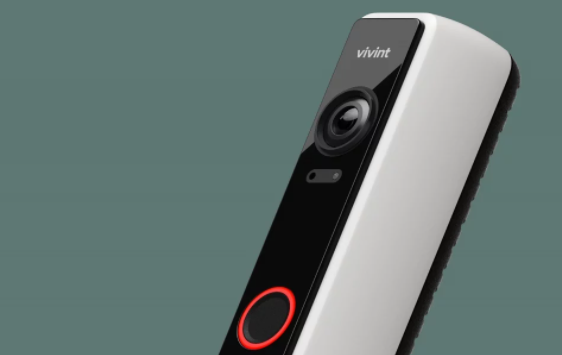
Vivint’s new outdoor security cam and updated video doorbell are designed to deter thieves, and other bad actors bent on things like breaking into your car or swiping a bike left on the front lawn. The two devices pick up motion, but it’s their audible whistle (or tone) called Smart Deter that sets them apart from others in its industry. Via this feature, we love how Vivint has been able to name something as simple as “lurker detection,” which is exactly what these products do—detect when someone might be lurking around either of your properties for ill-intentions!

Click here to learn about home security buying guide